Mega Gradient FX Tutorial
by oklandon
1) Once you have the border break done on your card, download it and import it into your preferred photo editor (I'll be using Photopea) to use as a reference.
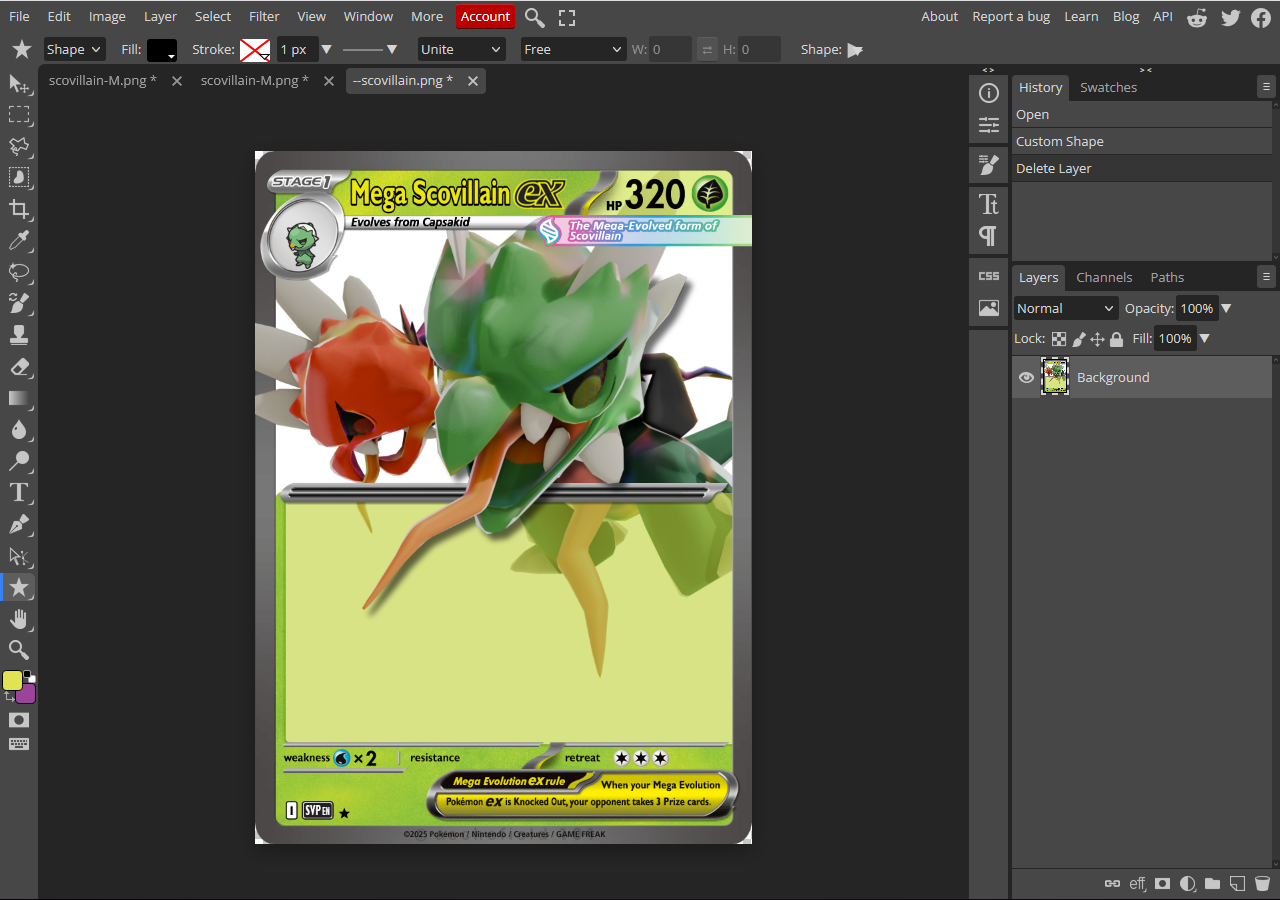
Image 1
2) Use the shape tool to place any shape. It really doesn't matter what, just depends on what design you're going for.
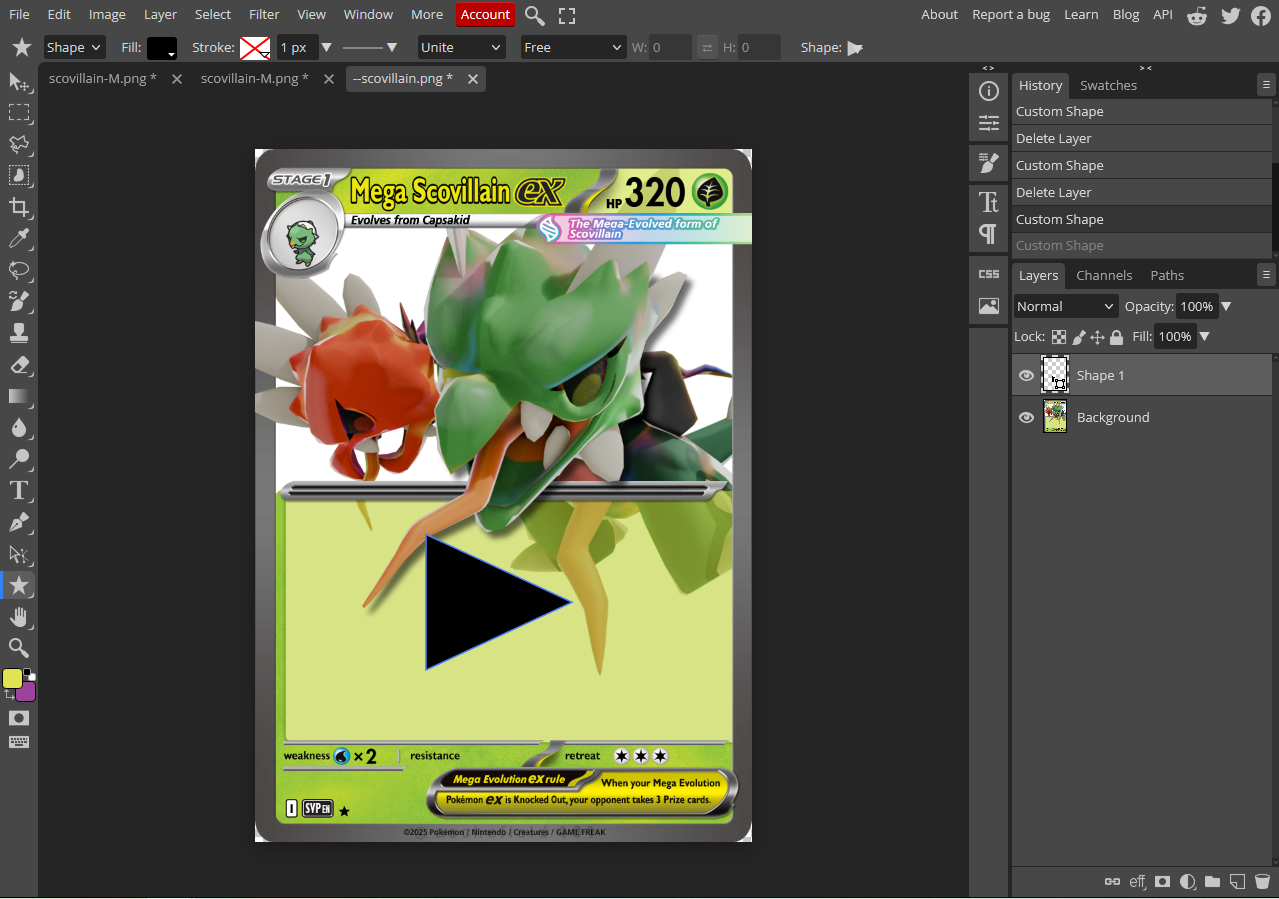
Image 2
3) Right click the object layer, then click "Rasterize." Then, use the object select tool to select the shape, right click the shape, and use the "Free Transform" option to move and warp the shape as you please.
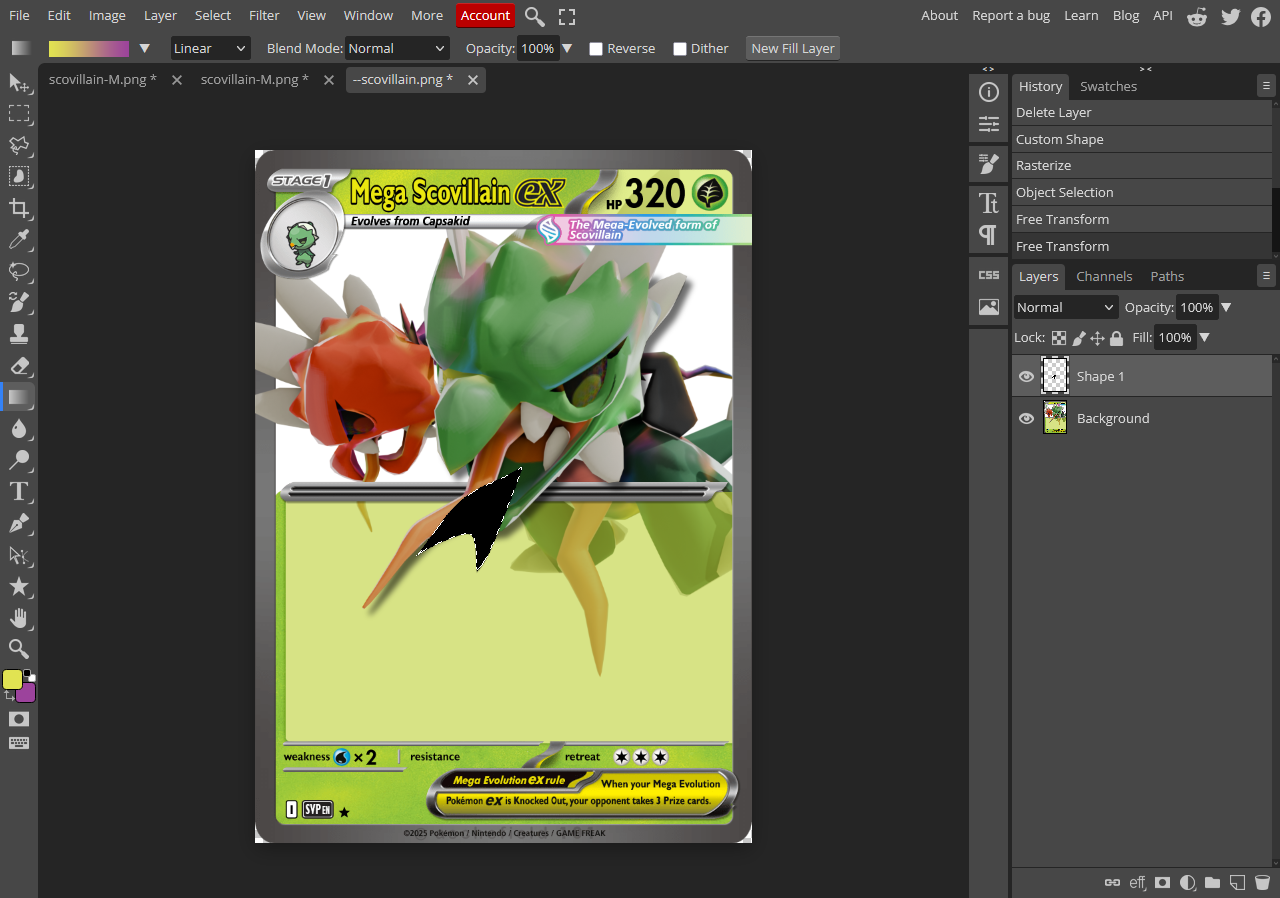
Image 3
4) Select the two extreme colors that you want the gradient between, then fiddle around with the gradient tool until you're happy with the result.
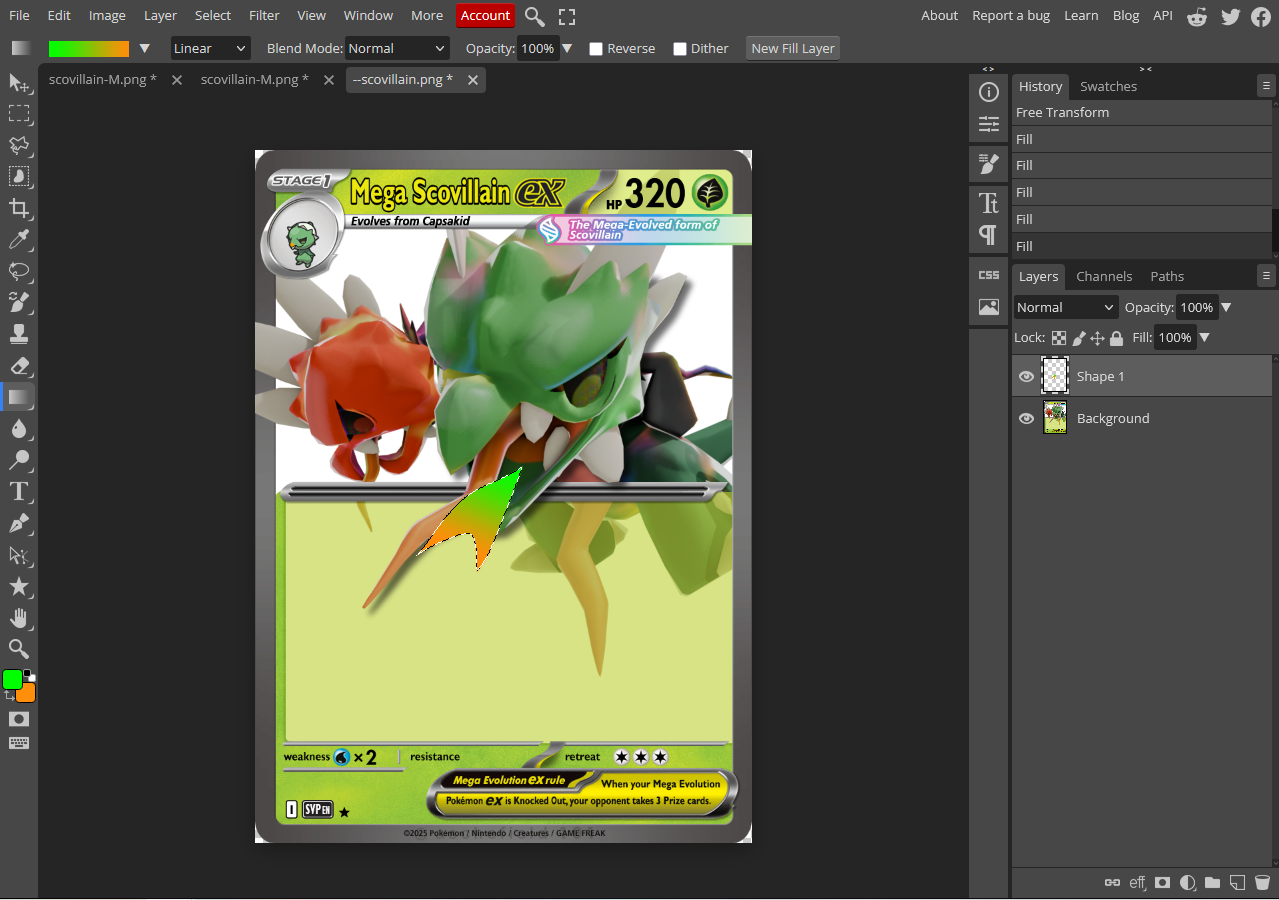
Image 4
5) Rinse and repeat until you're happy with the result. Then, hide the card part of the image and export the rest as a png.
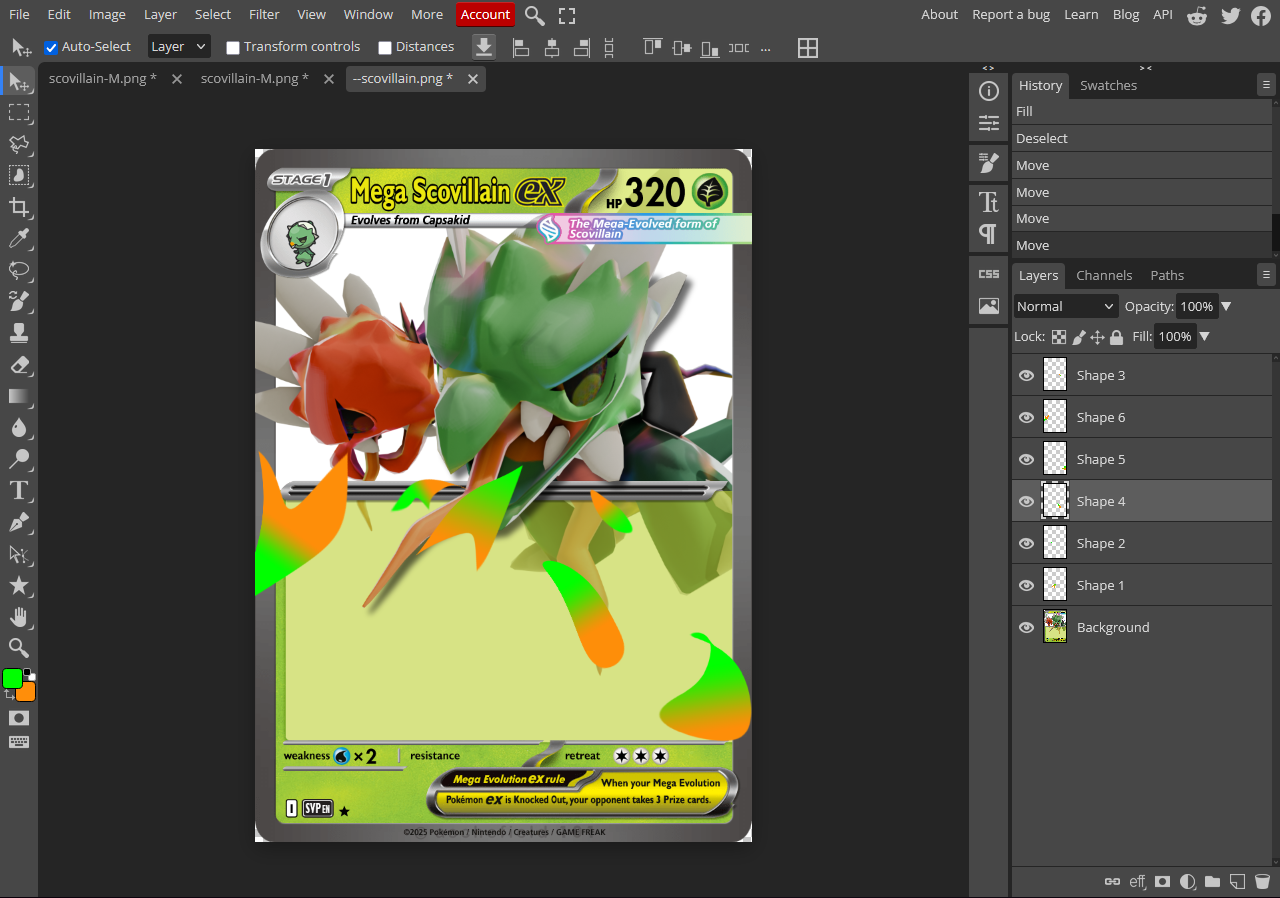
Image 5
6) Place the new effects and finish your card, and you're ready to go!
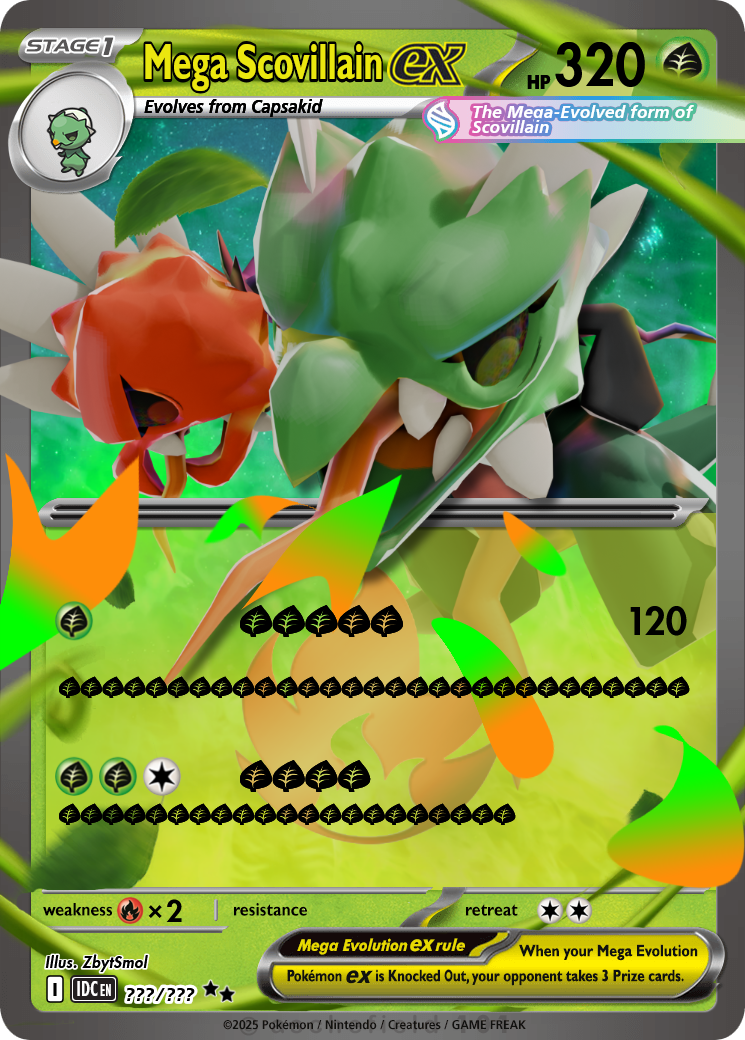
Image 6
6.5) A better version of the final product, the effects are more visible thanks to being fire template rather than grass.
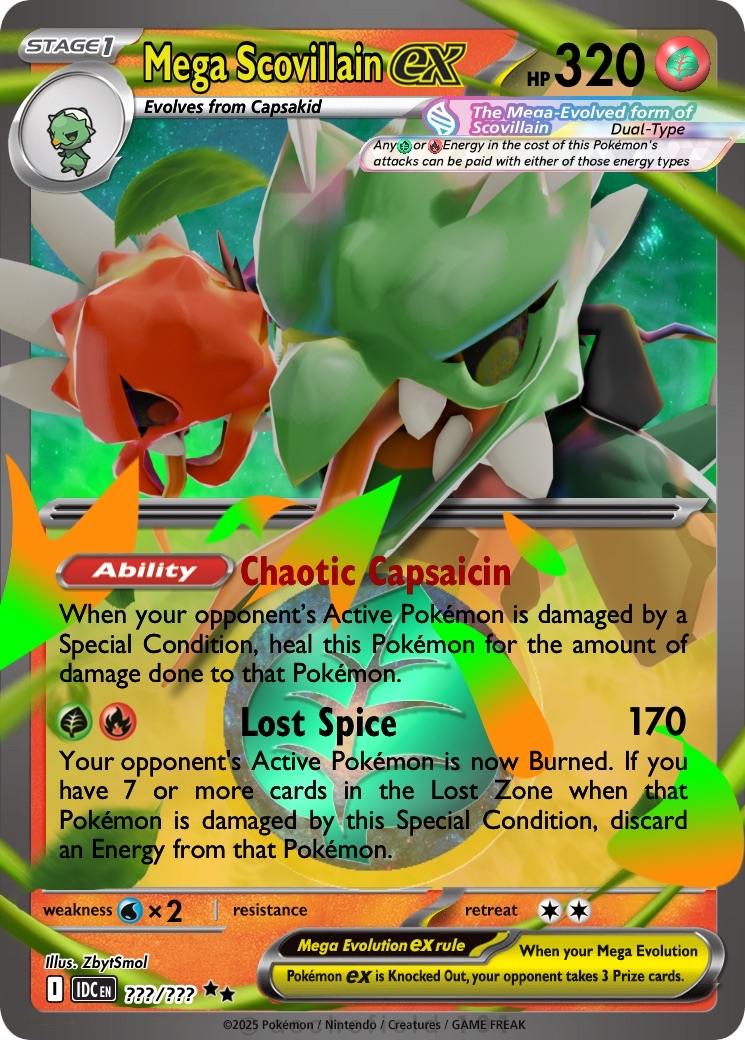
Image 6.5