Unblocking websites using Google Translate
by bradhamter
Have you ever wanted to get access to certain websites but your school (or anything really) has them blocked? If you have, I'll show you how to bypass those restrictions using Google Translate.
Requirements:
- Google Translate not being blocked
- An internet connection
1) Open the Google Translate website.
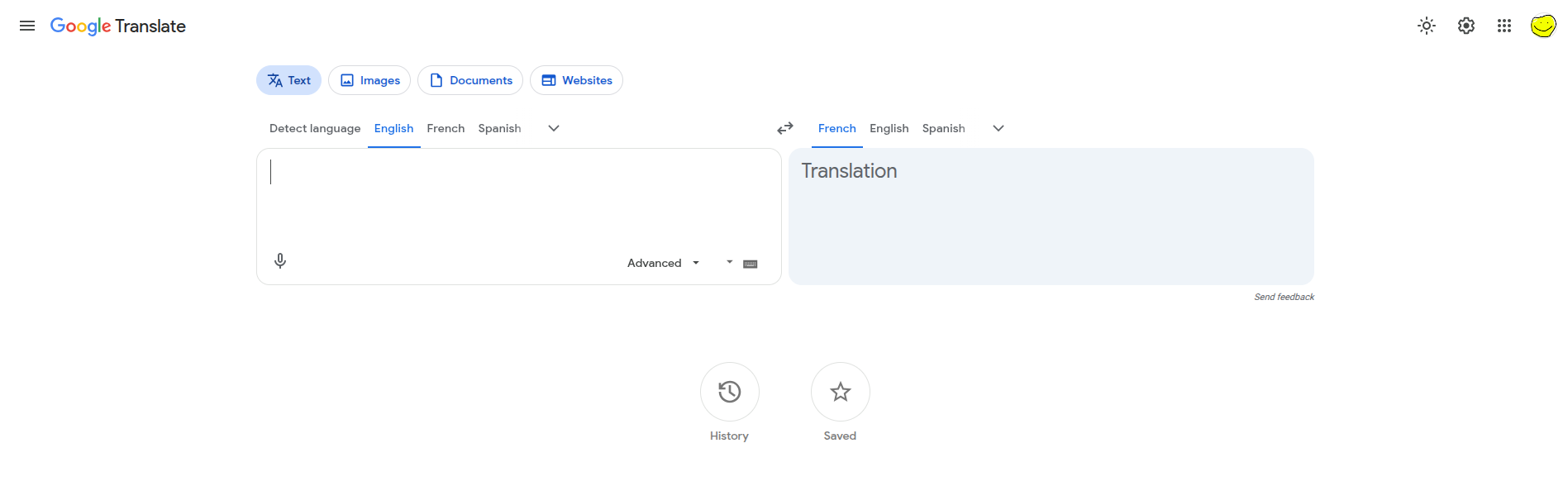
Image 1: translate.google.com
2) Open the "Websites" tab.
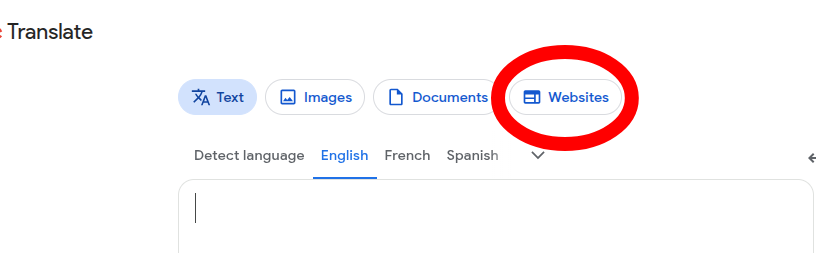
Image 2: The "Websites" tab circled
3) Select to translate from "Detect language", to whatever your preferred language is, and type the website's URL you want to visit.
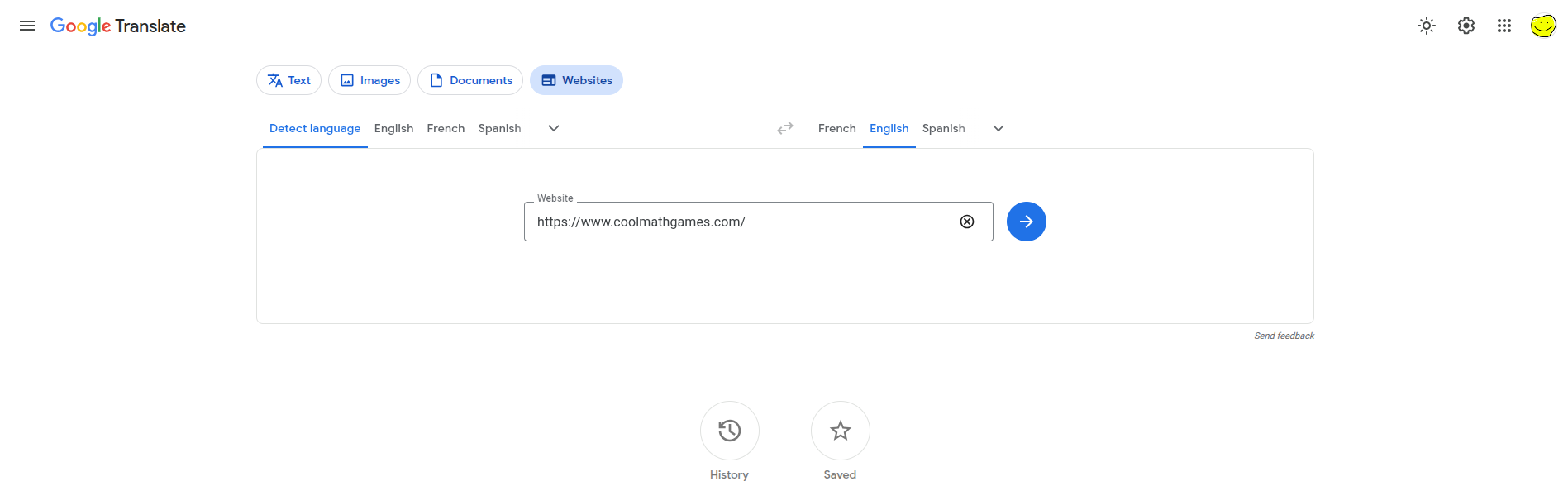
Image 3: Translate from "Detect language" to English, and https://www.coolmathgames.com/ in the Website field
4) Press the translate button.

Image 4: The translate button circled
5) Your site will now be here, but chances are it's in the wrong language. If it isn't, feel free to enjoy your unblocked website! If it is, follow along with the next steps.
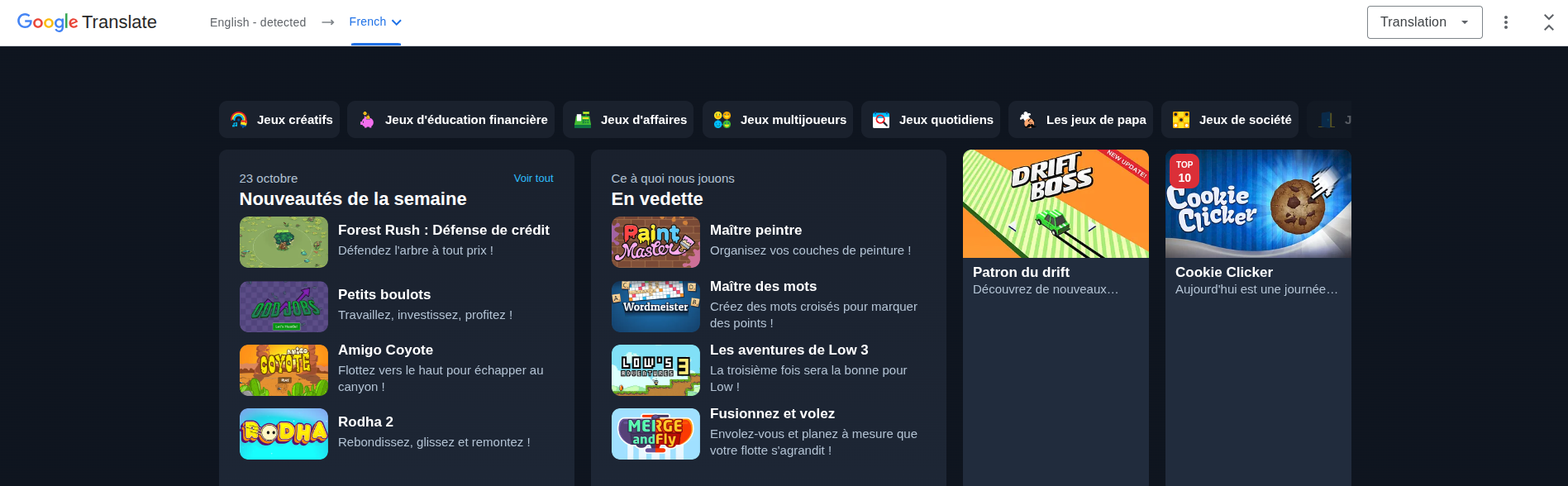
Image 5: Cool Math Games viewed through Google Translate in French
6) Go to the "Translation" dropdown in the top right and select "Original".
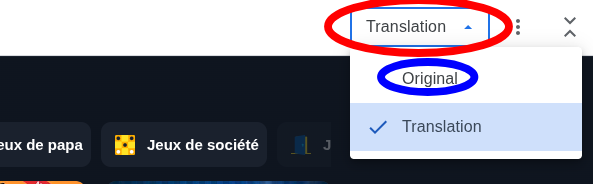
Image 6: The translation dropdown and the original option circled
7) Voila! You now have your unblocked website, enjoy :)
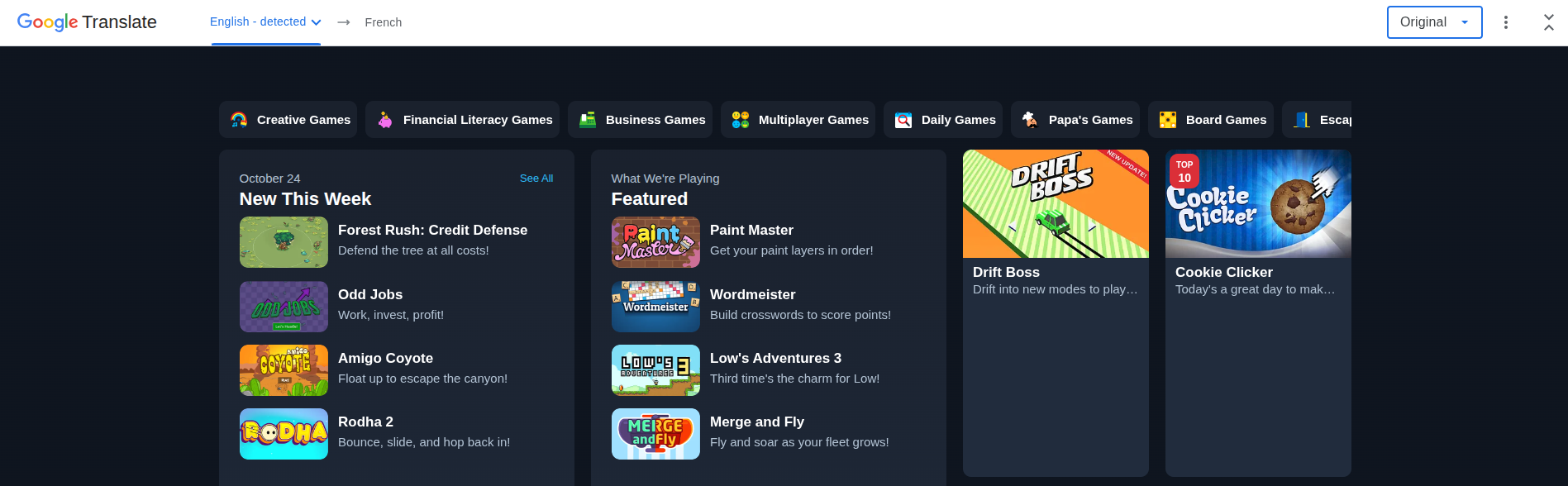
Image 7: Cool Math Games viewed through Google Translate in English